DPN combines three routing modes, app-aware tunnel assignment, and network filtering in one device-level app. The mode you choose determines which traffic uses a tunnel and which traffic stays direct.
Switching modes changes the active tunnel policy. Existing tunnels are disconnected when the mode changes so the new policy can be applied consistently.
Smart Route
Route supported apps independently across selected tunnels.
Smart Route applies app-aware rules. An app can use an assigned tunnel while other traffic stays direct or follows another available route.
App Relocator is available in this mode.
Full Route
Send traffic through one selected exit route.
Full Route uses a unified exit instead of separate assignments for different apps. Changing modes disconnects existing tunnels before the new routing policy is applied.
App Relocator is not available in this mode.
Direct Route
Keep traffic direct while retaining filtering controls.
Direct Route does not use a proxy exit for ordinary traffic. DNS/IP filtering and supported network security features can remain active.
Use this mode when an exit tunnel is not needed.
App Relocator
Assign supported apps to selected tunnels
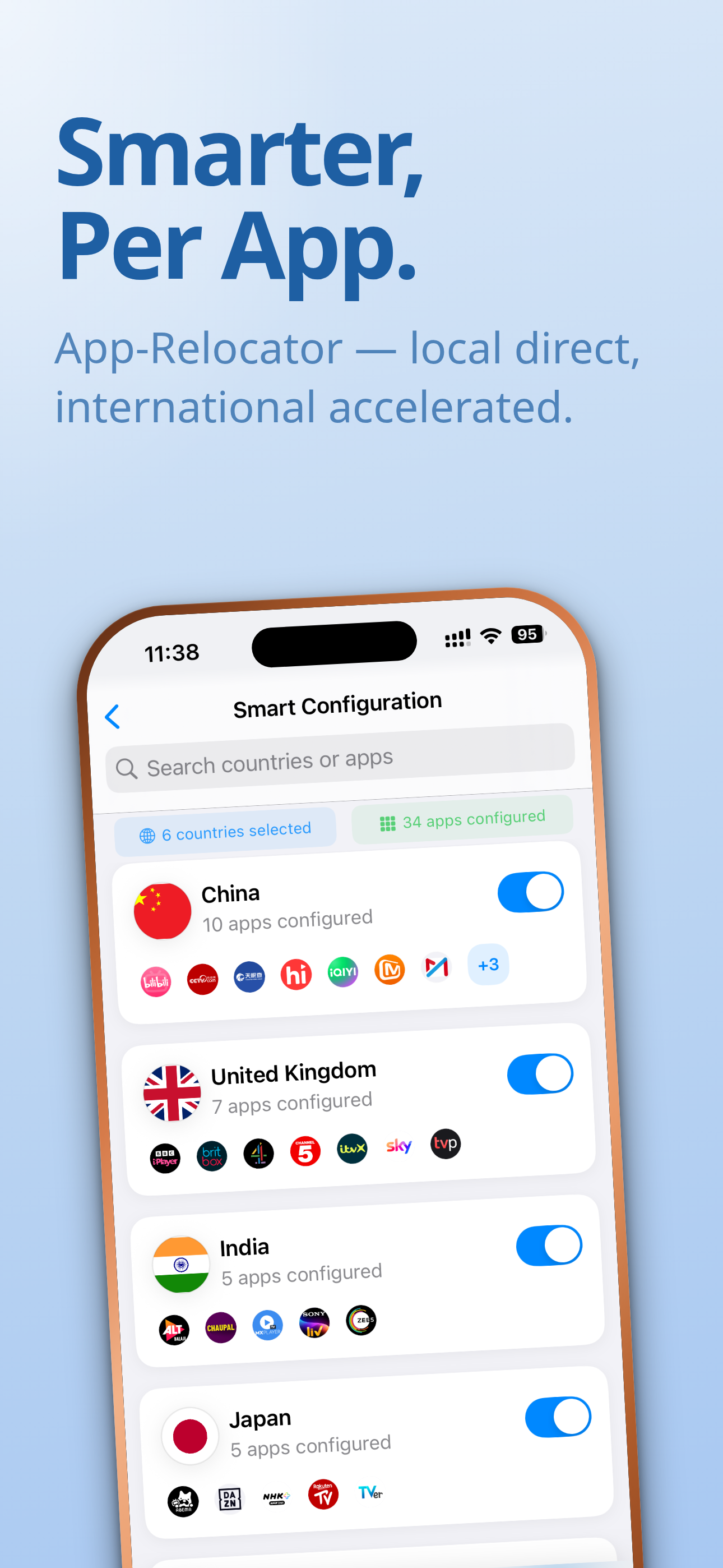
App Relocator stores an app-to-tunnel assignment for each selected app. In Smart Route, those assignments let different apps use different country routes at the same time.
Select country tunnels.DPN makes the selected routes available to Smart Route.
Assign supported apps.Each assignment links an app name to a tunnel.
Apply app-aware rules.Other traffic can remain direct instead of sharing one exit.
Filtering layers
Domain rules first, optional HTTPS filtering second
Routing and filtering are separate controls. Direct Route can still use filtering even when ordinary traffic is not sent through an exit tunnel.
DNS/IP filtering
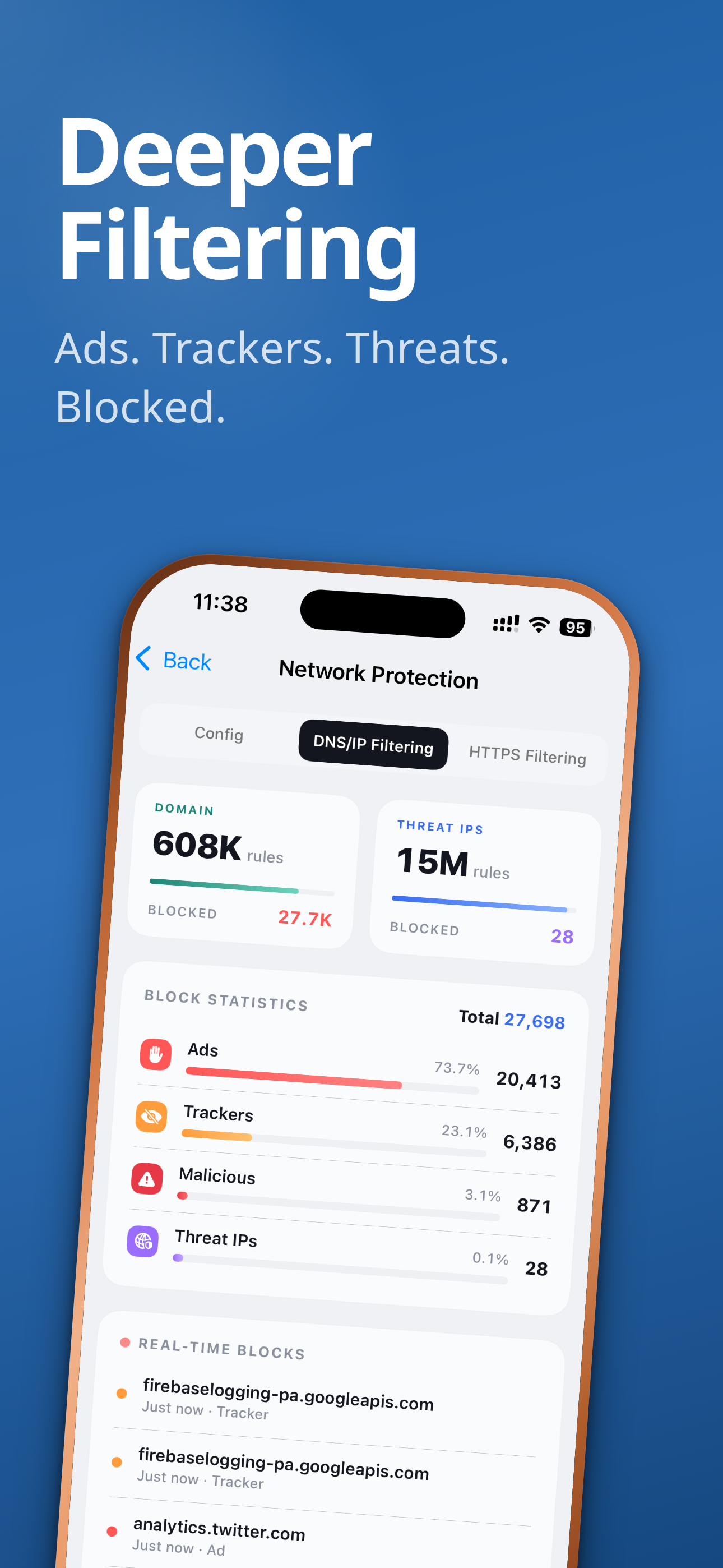
Applies domain and IP rules for categories such as ads, trackers, and malicious destinations before supported connections are made.
HTTPS filtering
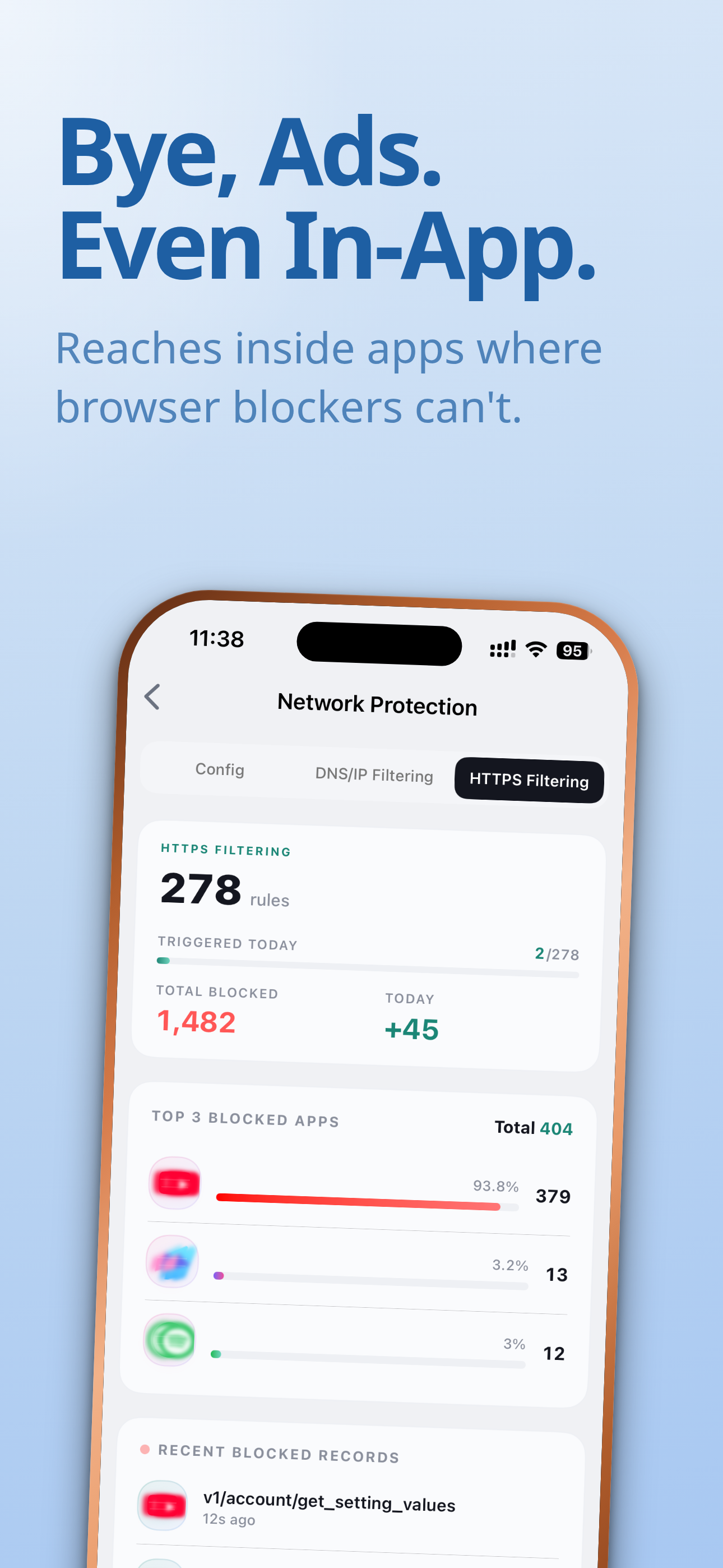
Requires the Deeper Network root certificate. Without the certificate, HTTPS filtering does not work correctly; on Android, it applies in web browsers only, not inside other apps.
Product boundaries
How DPN differs
Traditional full-tunnel VPN
A full-tunnel VPN sends included traffic through one exit. DPN also offers Full Route, while Smart Route can apply different routes to supported apps.
VPN split tunneling
Split tunneling commonly chooses tunnel or direct. DPN App Relocator can assign supported apps to selected country tunnels in Smart Route.
Deeper Connect
Deeper Connect is a separate hardware product for network-level deployment. DPN is software installed and operated on an individual device.
FAQ
DPN routing and filtering questions
Is DPN an official Deeper Network app?
Yes. DPN: Beyond VPN is developed and published by Deeper Network. It is a software product separate from Deeper Connect hardware.
Does App Relocator work in every routing mode?
No. App Relocator assigns different routes to supported apps and is available only in Smart Route. Full Route sends apps through one route, while Direct Route keeps ordinary traffic direct.
Can DPN use more than one tunnel?
Smart Route can keep selected country tunnels available and use app-aware rules across them. Available nodes and tunnel limits depend on the current service configuration.
How do DNS/IP and HTTPS filtering differ?
DNS/IP filtering applies domain and IP rules before a connection is made. HTTPS filtering inspects supported HTTPS traffic and requires the Deeper Network root certificate to be installed.
Does HTTPS filtering have platform limits?
Yes. HTTPS filtering depends on certificate support. On Android, the installed certificate works in web browsers only and does not apply inside other apps.
Do I need Deeper Connect hardware to use DPN?
No. DPN runs as an app and does not require Deeper Connect hardware. The two products use different deployment models.